Motion Fun Just Made All 6 After Effects Tools Free
On May 26, 2026, Motion Fun creator Davey announced on X that every tool on the Motion Fun site is now free, forever. That includes Petals, the color palette tool that previously sold for $39, plus five other After Effects extensions that quietly went from paid to zero overnight. If you edit in After Effects and you have not heard of Motion Fun yet, this is the moment to grab everything before someone tells you "you used to have to pay for that."
Quick answer Six After Effects tools went free on Motion Fun on May 26, 2026: Petals (color palettes), Noted (markdown notes inside AE), AEbar (custom toolbars), Anchored (one-click anchor points), Picky (smart layer selection), and Slingshot (directional scatter animation). All are CEP extensions for After Effects 2022 and newer, and Davey has confirmed that more free tools are on the way.
The story Motion Fun has been releasing small, focused After Effects extensions for the past couple of years, mostly behind one-time purchase price tags. Petals, the headline tool, was selling for $39 until yesterday. Davey announced the shift in a single tweet: "Today I decided that everything on Motion Fun will be free from here on out." The whole catalog now lives at motionfun.net with download buttons that just work. No trial gates, no premium tier, no upsell.
Petals Now Free Was $39
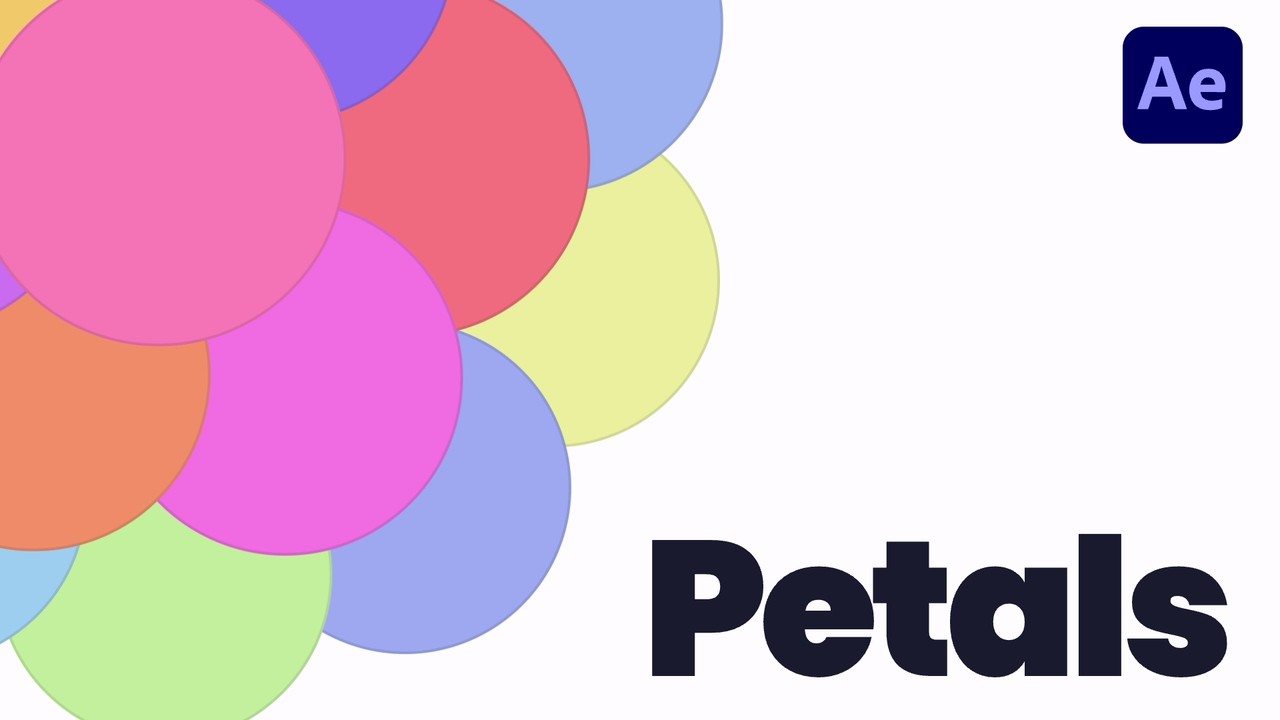
Petals is a color palette tool that lives inside After Effects (and now Illustrator too, since version 1.1). You generate harmonious palettes with one click, apply colors to selected layers, and the link is kept via expressions: change a petal later and every linked layer in the comp updates at the same time. For motion designers who color-grade by feel rather than by hex codes, it removes the manual back-and-forth between picker, eyedropper, and timeline.
Key features:
- Generate full palettes with a single click, based on color-theory principles so the result always looks balanced
- Apply a petal as fill color (click), stroke (Shift), both (Ctrl), or static without expression link (Alt)
- Extract palettes from an entire comp or just selected layers
- Apply a palette globally: scan every layer in the comp, deduplicate similar colors, link each to the nearest petal
- Save palettes to your library or share them inside the project file
Petals is the headline tool of the announcement because it had the highest price tag. If you only grab one Motion Fun tool, this is it.
Download PetalsNoted Free
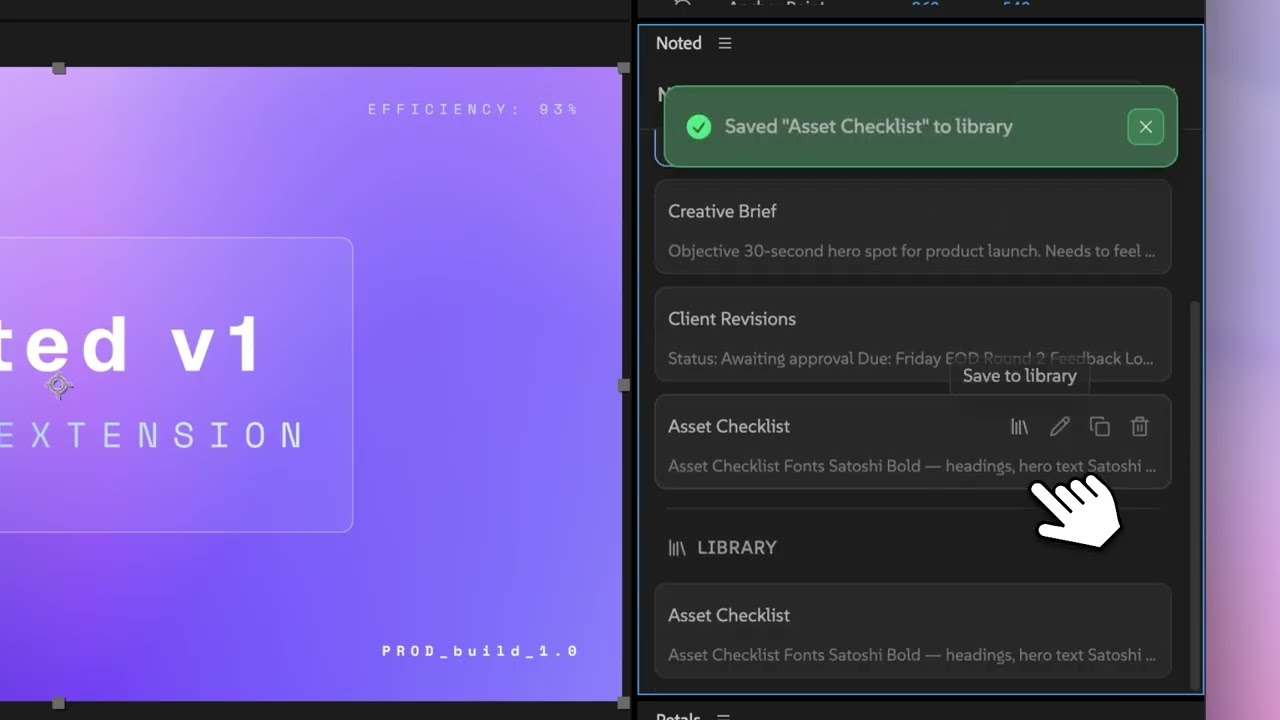
Noted is a markdown note editor that lives inside After Effects as a panel. You write project notes, client feedback, version logs, or scratch ideas without alt-tabbing to Notion or Apple Notes. Notes can be tied to the current project (auto-saved into the project file) or to your global library (available across every project).
Key features:
- Notion-style slash menu: type "/" to insert headings, lists, quotes, code blocks, images, dividers
- Image grids by drag-and-drop, with 1 to 4 column configurations
- Project-scoped notes (saved inside the .aep file, follow the project) and library notes (persist across all projects)
- Full markdown support, so notes are portable if you ever want to move them out
For AMV editing this is genuinely useful for tracking which clips you have already used, music timing references, render presets per project, and any little reminder that usually ends up in a sticky note that you lose.
Download NotedAEbar Free
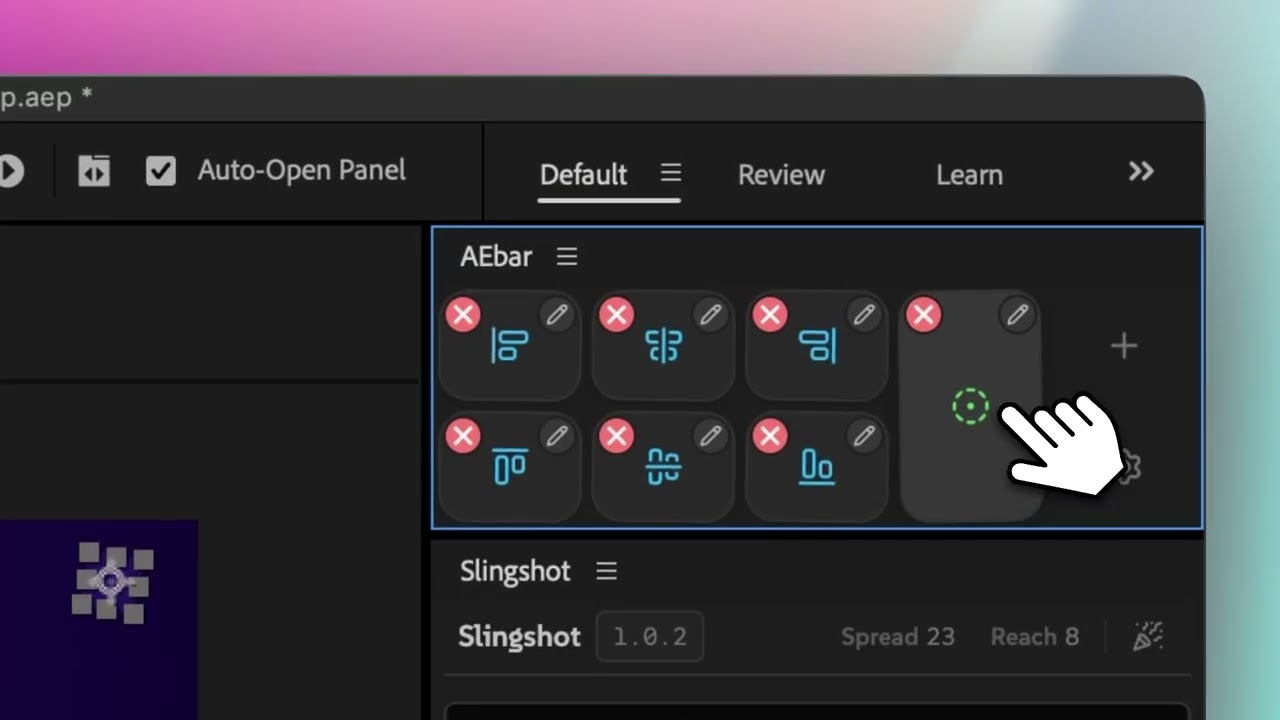
AEbar is a custom toolbar builder. You define your own buttons inside a resizable grid and bind each one to an action: apply an effect, run a script, invoke a menu command, open another extension. If you have ever wanted After Effects to feel more like a launchpad than a menu hunt, this is the tool.
Key features:
- Eight action types per button: effects, presets, expressions, menu commands, scripts, scriptlets, shell commands, and extension opens
- Modifier keys for alternate actions: hold Shift, Alt, or Cmd for up to three different behaviors per button
- Auto-adapts to any panel shape: wide toolbar, vertical sidebar, square dock
- Long-press to enter edit mode, drag to reorder, Shift+drag to duplicate
- Manage up to five independent bars at once for different workflows
- Imports existing KBar toolbars directly, so you can migrate without rebuilding
This one is for editors who have settled into a repeatable workflow and want one-click access to their 20 most-used actions. Replaces KBar at zero cost.
Download AEbarAnchored Free
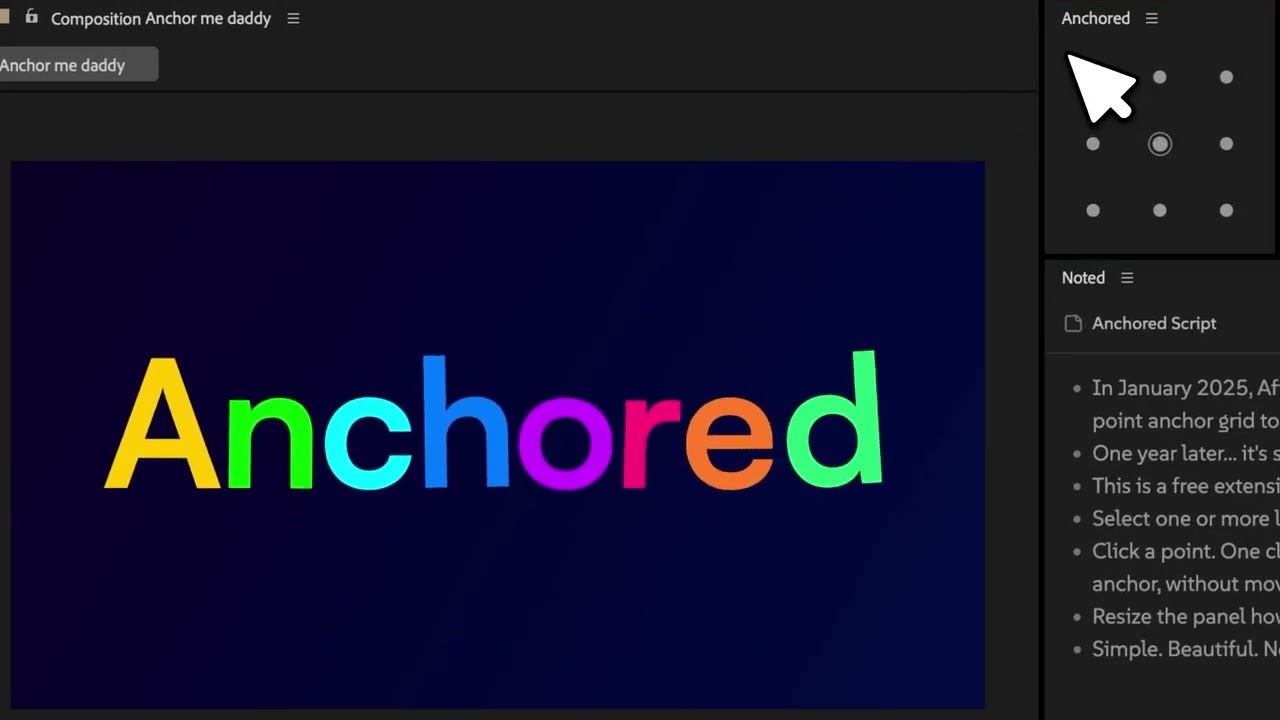
Anchored fixes one of the small daily annoyances of After Effects: setting the anchor point of a layer without the layer jumping. It gives you a nine-point grid (corners, edges, center) and lets you click any point to move the anchor there with zero displacement. Sounds simple. Saves serious time over the year.
Key features:
- Single-click anchor placement on a 9-point grid
- Auto-compensates the layer position so nothing visibly shifts
- Handles 3D layers with separated dimension support
- Preserves scale integrity during adjustments
Tiny tool, huge quality-of-life boost. If you have ever held Cmd/Ctrl while dragging the anchor point and missed by 2 pixels, this is the fix.
Download AnchoredPicky Free

Picky is a smart layer selection panel. Instead of Cmd-clicking through 40 layers to find the ones you want, you select by type, by name pattern, or by "everything matching the active layer." Keyboard modifiers let you add to, subtract from, or toggle the selection without losing what you already had.
Key features:
- Select layers by type (shape, text, video, null, etc.)
- Select by name or name pattern (wildcard match)
- "Same as active" mode: select every layer matching the currently selected one
- Add / subtract / toggle selection via Shift, Alt, Ctrl modifiers
- Optional inclusion of shy and locked layers
Great for complex comps with dozens of layers, character rigs, or any project where you find yourself doing the same multi-selection over and over. Saves clicks at scale.
Download PickySlingshot Free
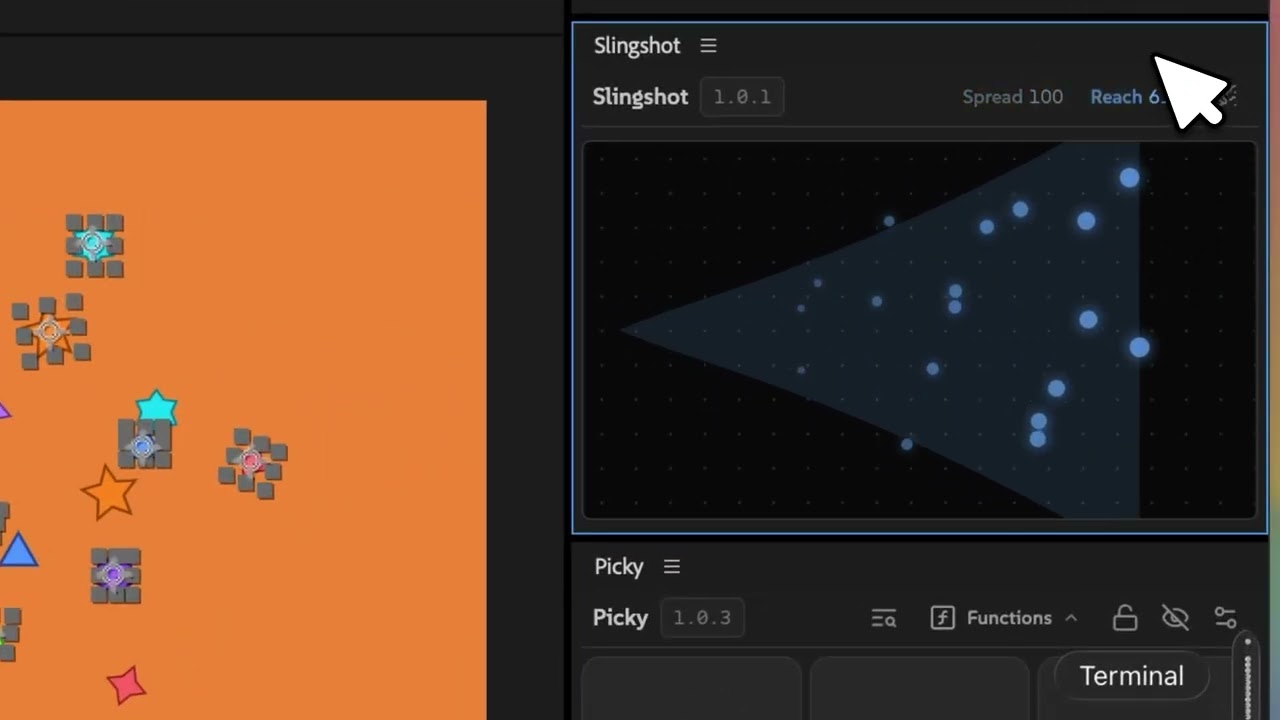
Slingshot scatters layers across the comp in a single gesture. You pull back, aim, release: layers fly out across the canvas with adjustable spread, distance, and randomization. There is a confetti mode that auto-keyframes an explosion with scale, rotation, and opacity animated outward, so you go from one-layer to particle-explosion in two seconds.
Key features:
- Directional scatter: aim with the mouse, control spread (narrow beam to wide spray) and reach (distance from launch)
- Confetti mode: auto-keyframes an animated explosion with scale, rotation, opacity
- Adjustable animation speed via drag
- Hold Shift to duplicate originals before scattering, so you keep the source layer in place
For AMV editors this is great for impact moments, reaction overlays, particle bursts, or any beat-drop visual where you want a quick "thing explodes outward" effect without setting it up in particle systems.
Download SlingshotHow to install Motion Fun tools
Every Motion Fun tool installs the same way because they are all CEP extensions for After Effects 2022 or newer. The full process takes a couple of minutes per tool:
- Go to the tool page on motionfun.net and click the Download button
- Unzip the downloaded archive, which contains a single .zxp file
- Install aescripts + aeplugins ZXP Installer if you do not already have it (free tool, separate company)
- Drag the .zxp file onto the ZXP Installer window
- Restart After Effects
- Open the new panel from Window menu, then Extensions, then click the tool name
The first install of the ZXP Installer takes a minute. After that, every additional Motion Fun tool is a drag-and-drop install. Once you have all six set up, they show up as separate panels under the Extensions menu and you can dock them anywhere in your workspace.
What is coming next from Motion Fun
On the Motion Fun homepage, four slots are currently labelled "Upcoming Free Tool" with "Coming Soon" status. Separately, there is a teaser section titled "Something Huge" with the description "Everything you've been using... finally comes together," which suggests a larger combined product or framework rather than another standalone extension.
In Davey's announcement reply on X, he listed the current free lineup as Petals, AEbar, Picky, Slingshot, Noted, and Anchored, and added that "a crap ton more tools" are in the works, also free. Worth bookmarking the site and checking back monthly.
Why this matters for AMV editors
After Effects is still the dominant tool for AMV editing, especially for anything involving slow motion, particle effects, custom transitions, motion graphics, and color treatment. The reason so many tutorials and presets cost money is that small After Effects extensions are genuinely hard to build, and the developer community has historically been small enough that paywalls were necessary to keep the lights on.
When a creator like Davey decides to move six tools from paid to free in a single afternoon, it is the kind of move that quietly raises the floor for the whole community. New editors who would never have spent $39 on a color palette tool now have access to it. Tutorials that demonstrate Motion Fun tools become useful to everyone watching. The barrier to "I can build this in After Effects" gets a little lower.
If you are an AMV editor reading this, the practical move is to install all six tools today while the announcement is still fresh. They cost nothing, they install in a few minutes each, and even if you only end up using two or three of them regularly, that is a meaningful workflow upgrade for zero dollars.
And if you are an editor with the means to support Davey, the Motion Fun site has a contact link and the X account @daveylovescode. Saying thanks publicly costs nothing and makes a real difference to the people who decide to give their work away.
FAQ
Are Motion Fun tools really free or is it a trial?
Really free. Davey publicly announced on May 26, 2026 that every tool on Motion Fun is "100% free, forever." There are no trial limits, no feature paywalls, and no premium tier. The download buttons on the site go straight to the .zxp installers with no checkout step.
Do Motion Fun tools work in DaVinci Resolve or Premiere Pro?
No. Every Motion Fun tool is built specifically for After Effects (with Petals also working in Illustrator since version 1.1). They use Adobe's CEP extension framework, which is Adobe-specific. DaVinci Resolve uses OpenFX and Fusion macros instead. Premiere Pro supports CEP but the tools are written for After Effects's specific APIs and would not function in Premiere even if you tried to install them.
What version of After Effects do I need?
After Effects 2022 or newer is required for every Motion Fun tool. They use the CEP extension framework which Adobe has supported since 2020, but Motion Fun specifically targets 2022+ to make sure the panels render correctly and the APIs work as expected.
How do I install Motion Fun tools?
Download the .zxp file from the tool page, install the free aescripts ZXP Installer if you do not already have it, drag the .zxp file onto the installer window, restart After Effects, and open the panel from Window then Extensions. Each tool installs the same way.
Will the tools always stay free?
Davey's public statement on X was that everything on Motion Fun will be free from here on out, and the homepage prominently reads "Every tool is now 100% free, forever." Worth noting: the announcement is fresh as of May 26, 2026, so anyone reading this years later should double-check the site for the current pricing model.
Which Motion Fun tool should I install first?
Petals is the headliner because it was the most expensive paid tool ($39) and it solves a workflow problem that most editors actually have. After that, Anchored is the quickest quality-of-life win, AEbar is the biggest workflow upgrade if you want a custom toolbar, and Noted is the most universally useful for keeping project context organized.
Are there other free After Effects plugins worth installing?
Yes. Our separate guide on free After Effects plugins for new AMV editors covers another full set, including FX Console, AEVIEWER 2, Mister Horse Animation Composer, Label Me, Saber, Color Vibrance, and several more. Pair those with the Motion Fun tools and you have a serious free After Effects setup.
How do I uninstall a Motion Fun tool if I do not use it?
Open the aescripts ZXP Installer (the same tool you used to install), find the Motion Fun extension in the installed list, and click Remove. Restart After Effects and the panel will be gone from the Window then Extensions menu. No leftover files, no registry entries to clean up.
Who is the developer of Motion Fun?
Motion Fun is built by an After Effects developer who posts under the handle @daveylovescode on X and runs a YouTube channel under Davey Design. Solo developer, small project, big community impact for an afternoon's decision.